Some of us remember when sending a large file online was a much bigger deal than it is today.
For me, one of the earliest services that comes to mind is SendSpace.
The basic model was simple:
Upload the file, get a link, send the link.
Later, WeTransfer became one of the more recognizable names for quick large-file transfers. Then services such as pCloud Transfer came along with larger limits and a similarly simple approach.
Now there is another service worth looking at:
What caught my attention is that it is not simply another file-upload site.
It is part of the ecosystem behind Drime, a relatively young French cloud-storage company that has been developing quite aggressively over the last couple of years.
A Quick Look at the Evolution
The older file-transfer services mainly focused on one problem:
How do I send a file that is too large for email?
That is still important, but newer services are adding much more around the transfer itself.
Today, users may also want:
- password protection;
- link expiration;
- download limits;
- download tracking;
- recipient comments;
- custom branding;
- encryption;
- regional storage selection;
- much larger transfer sizes.
That is where Transfr becomes interesting.
Drime and Transfr Are Related, but They Are Not the Same Thing
This part initially confused me.
Drime is the persistent cloud-storage and collaboration platform.
Transfr is the file-delivery platform.
A useful way to think about it is:
Drime is where you keep and work with files. Transfr is how you deliver them.
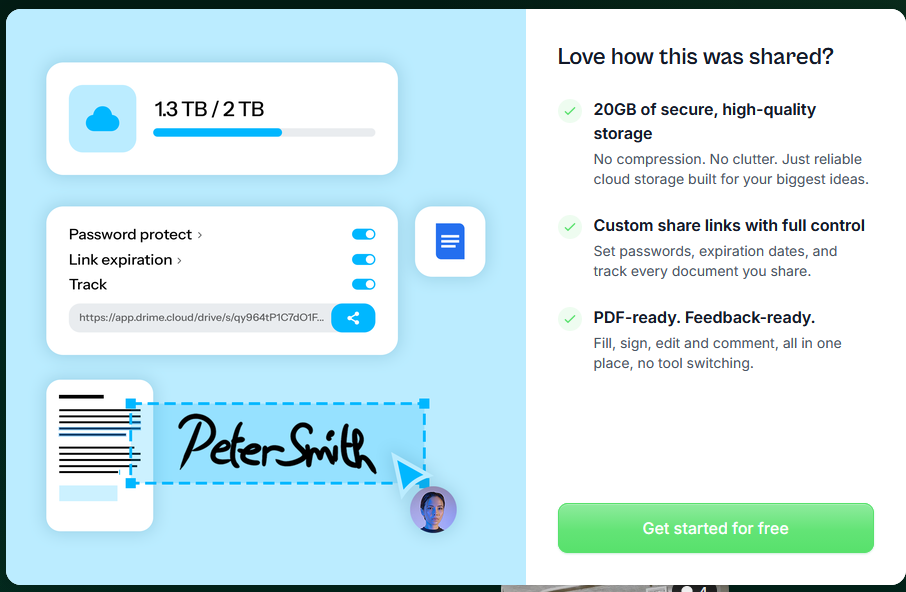
Drime currently offers a free storage tier with 20 GB of cloud storage.
Transfr, however, currently allows up to 100 GB per transfer on the free tier.
Those are two different limits.
100 GB per transfer does not mean 100 GB of permanent cloud storage.
The 100 GB is the size of an individual transfer.
The 20 GB refers to persistent cloud storage inside Drime.
The Free Transfr Plan Is Already Generous
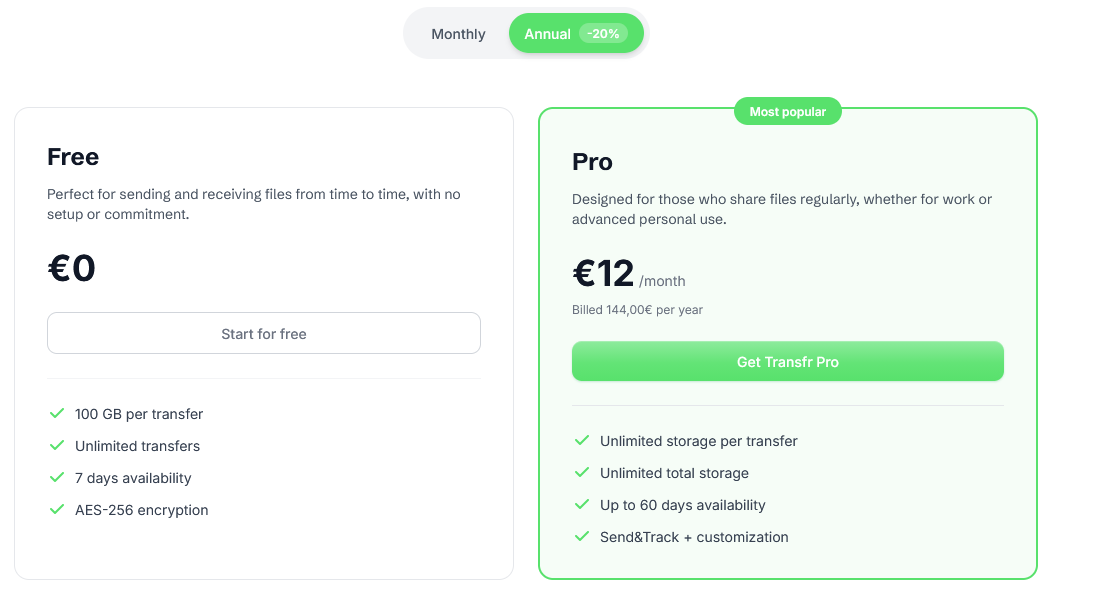
The current free plan provides:
- up to 100 GB per transfer;
- unlimited transfers;
- up to 7 days availability;
- encryption;
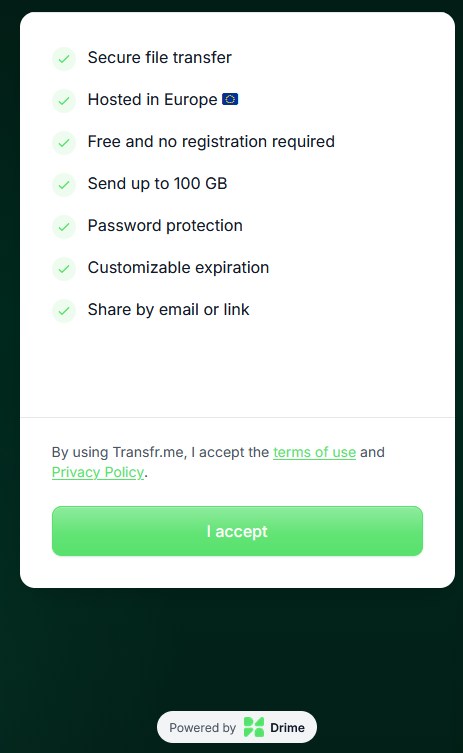
- no registration requirement for basic transfers.
That is already enough for many occasional users.
For comparison, this is far beyond the size of files most people normally need to email or casually share.
Where Transfr Pro Gets Interesting
The Pro plan is where the service moves beyond simple file sharing.
It adds features such as:
- unlimited storage per transfer;
- unlimited total active transfer storage;
- transfer availability up to 60 days;
- Send & Track;
- customization and branding;
- password protection;
- custom links;
- download limits;
- comments;
- end-to-end encryption;
- file storage region selection.
The phrase “unlimited storage” here should not be confused with unlimited permanent Drime cloud storage.
It appears to refer to temporary storage used for active transfers.
Once the transfer expires, that is a different situation from keeping files permanently in your Drime account.
You Can Control How Long the Transfer Exists
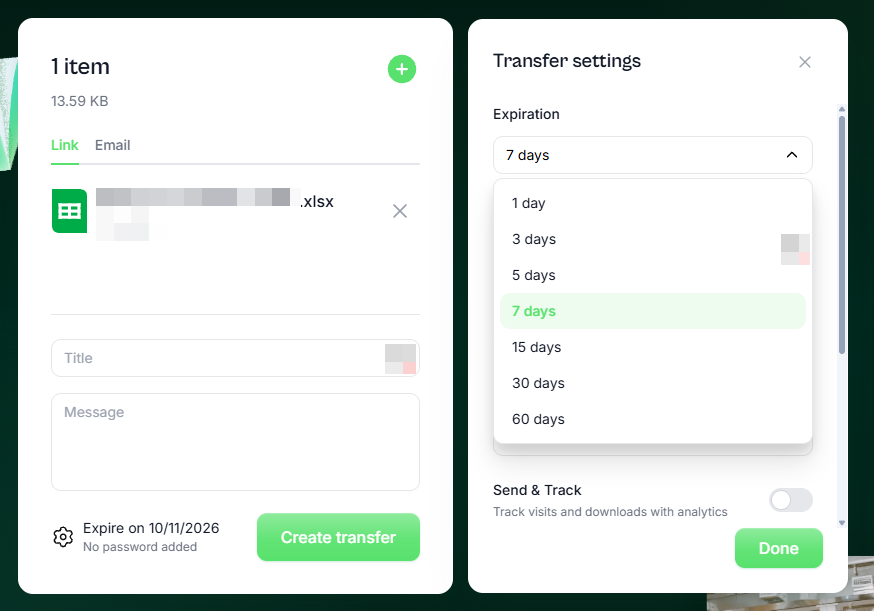
One thing I like is the amount of control available over expiration.
You can set transfers to expire after:
- 1 day;
- 3 days;
- 5 days;
- 7 days;
- 15 days;
- 30 days;
- 60 days.
That is useful when sending files that should not remain available indefinitely.
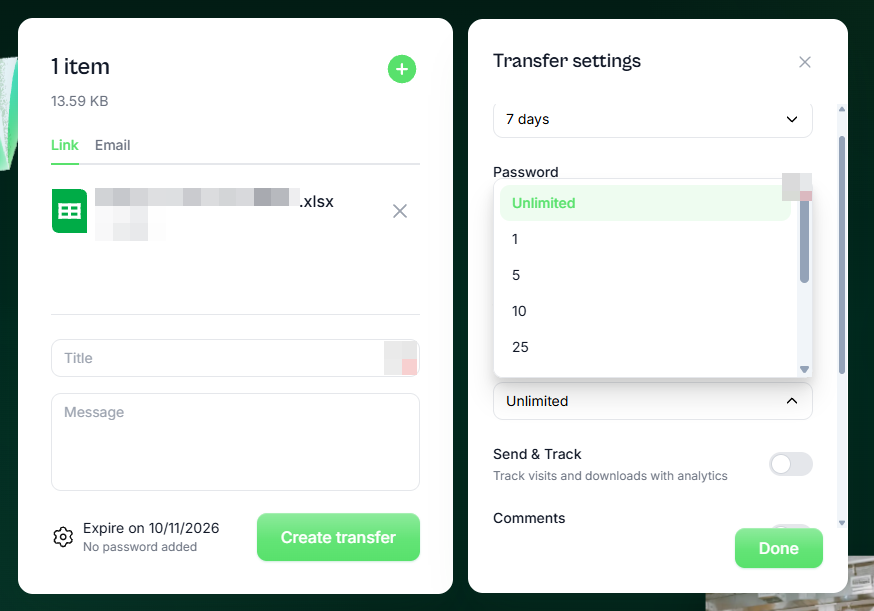
You Can Limit the Number of Downloads
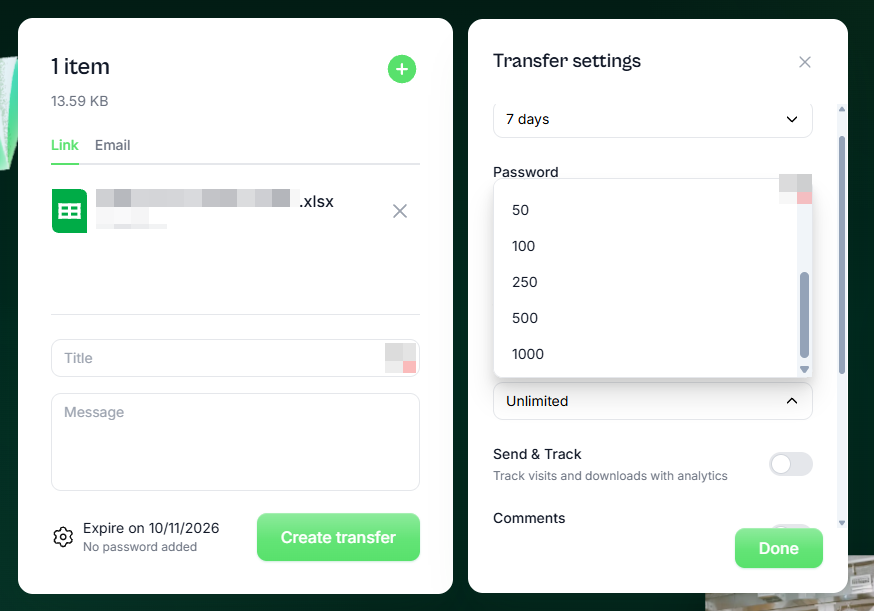
Another useful feature is the ability to control how many times the link can be used.
You can set the maximum downloads to values such as:
- 1;
- 5;
- 10;
- 25;
- 50;
- 100;
- 250;
- 500;
- 1000;
- unlimited.
That can be useful for:
- sending a file to one specific client;
- controlled distribution;
- temporary downloads;
- limiting casual resharing.
Send & Track
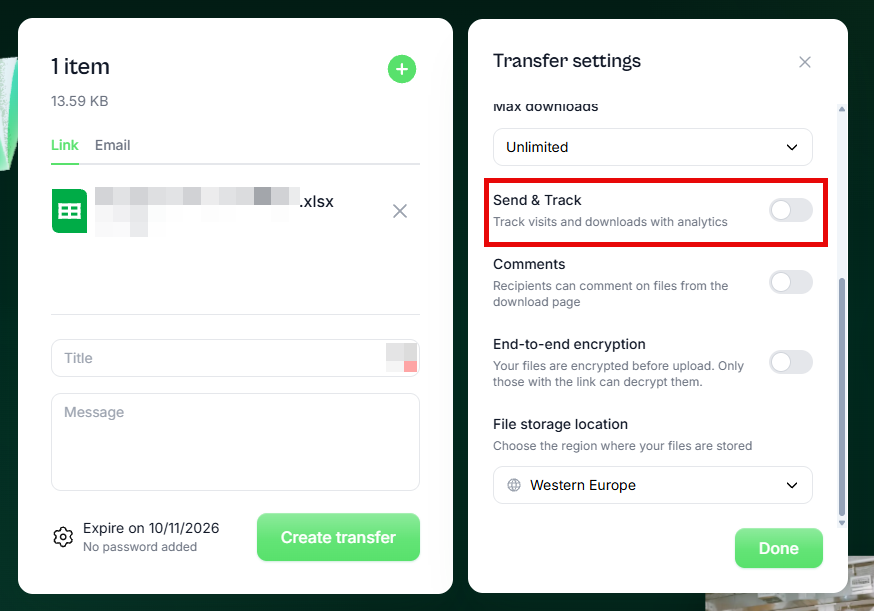
This is probably one of the features I like most.
A normal file-transfer service tells you that the link was created.
Transfr can go further and provide tracking.
Depending on the plan and options used, you can see information related to:
- visits;
- downloads;
- file views;
- activity around the transfer.
That is useful in business.
For example:
You send a client a document and they say they never received it.
With a tracked transfer, you may be able to confirm whether the link was opened or the file was downloaded.
That can remove a lot of guesswork.
Comments and Client Interaction
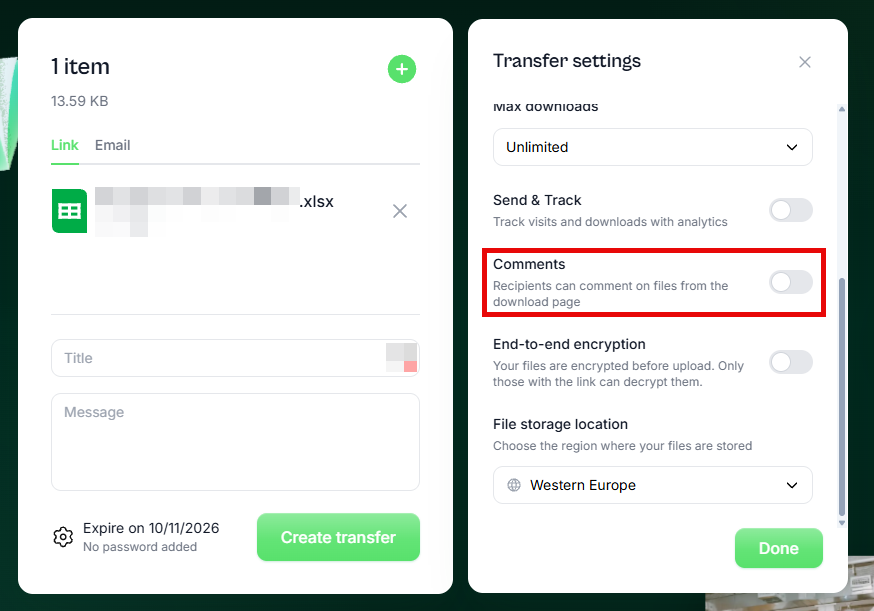
Recipients can also be allowed to comment on files from the download page.
That gives Transfr a small collaboration layer.
For someone sending:
- designs;
- documents;
- drafts;
- images;
- client deliverables;
the recipient can give feedback without needing another platform.
End-to-End Encryption
Another feature that stands out is the option for end-to-end encryption.
The interface states that files are encrypted before upload and that only persons with the link can decrypt them.
That is stronger than simply saying:
“The connection is encrypted.”
Normal HTTPS protects files while they are travelling between your device and the server.
End-to-end encryption is intended to protect the content itself so that the service provider does not need access to the unencrypted file.
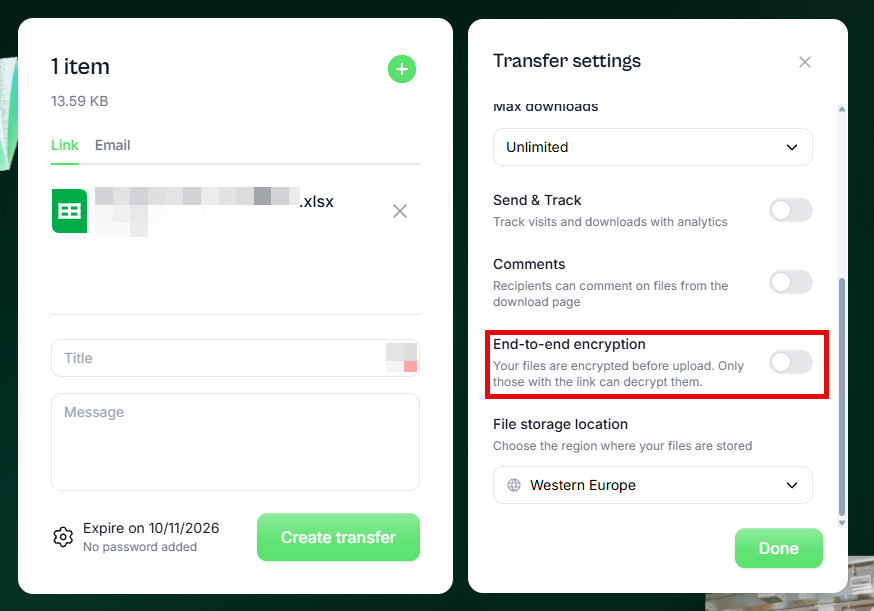
As with any security-sensitive service, I would still recommend reading the provider’s documentation before using it for highly regulated or extremely confidential data.
Choose Where the Files Are Stored
This is another feature I did not initially expect.
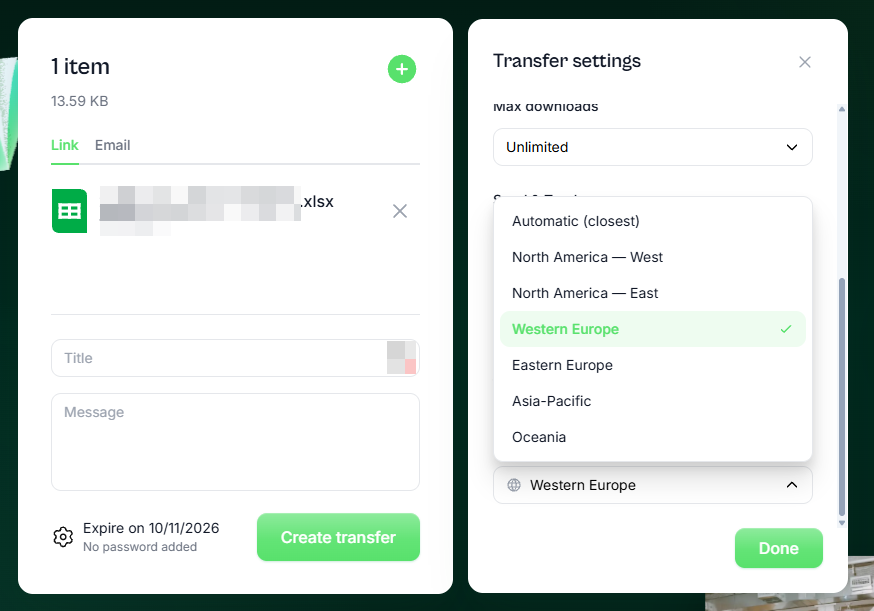
Transfr allows you to select the storage region.
Current options include:
- Automatic;
- North America — West;
- North America — East;
- Western Europe;
- Eastern Europe;
- Asia-Pacific;
- Oceania.
That may be useful for:
- performance;
- latency;
- customer location;
- organizational policy;
- regional data-storage preferences.
For users in the Caribbean, for example, North America — East may be a logical option depending on the actual network route.
Branding
This is where I think Transfr becomes especially attractive for businesses and independent professionals.
Instead of sending clients to a generic-looking file-sharing page, the transfer experience can be customized.
Depending on the plan, you can use:
- your logo;
- your own background;
- custom links;
- branded presentation;
- a custom subdomain.
This does not mean the files are physically hosted on your own server.
It means the recipient sees a transfer experience that looks much more like part of your own business.
That could be useful for:
- IT consultants;
- photographers;
- designers;
- videographers;
- accountants;
- legal offices;
- marketing agencies;
- small businesses;
- anyone regularly sending client files.
Custom Domains May Require Some DNS Work
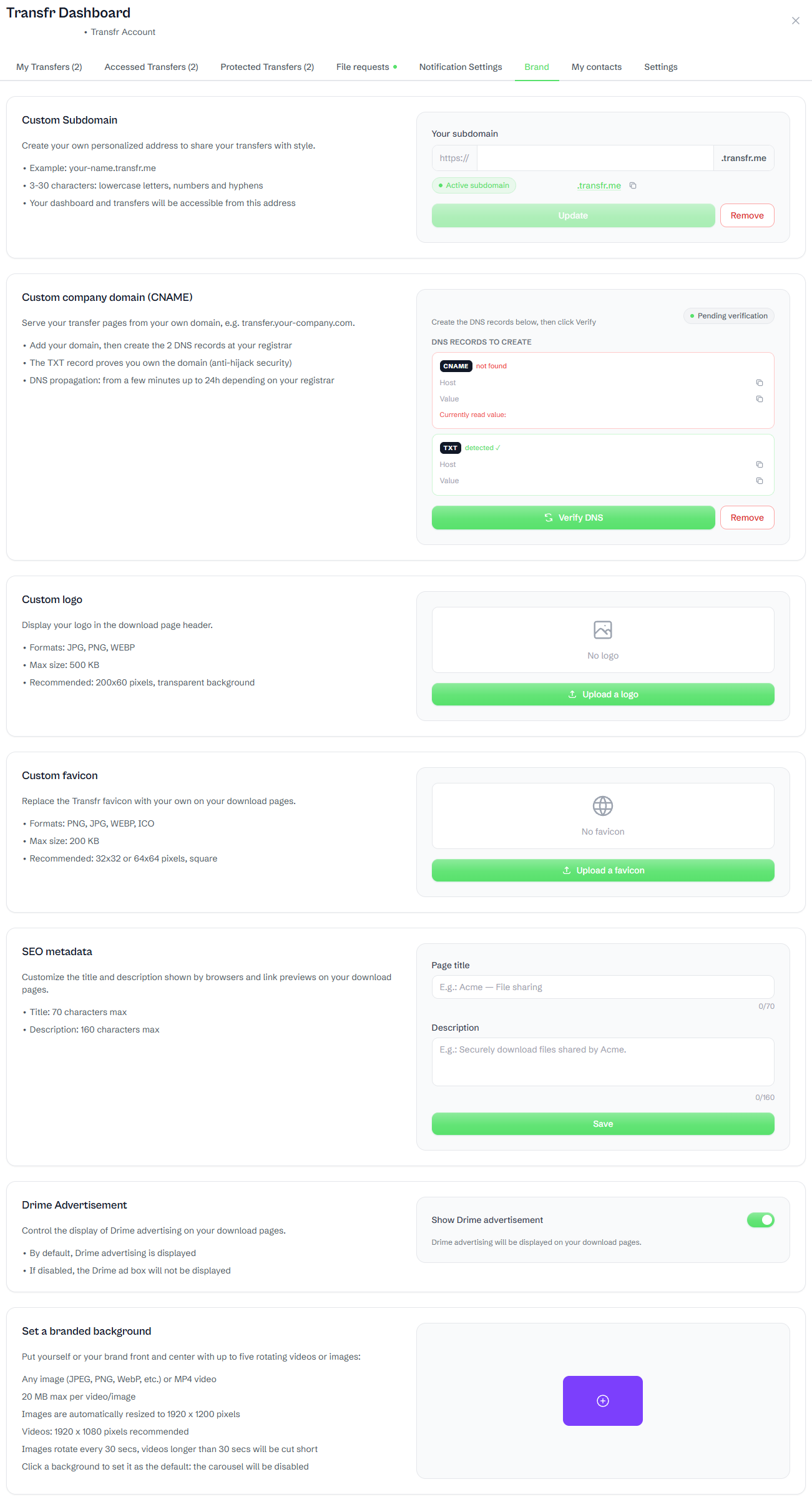
The branding options go beyond adding a logo.
Transfr allows you to use:
- a custom
.transfr.mesubdomain; - your own company domain;
- a custom logo;
- a custom favicon;
- SEO metadata;
- branded image or video backgrounds;
- the option to remove Drime advertising from the download page.
The custom company domain may require some DNS work.
Transfr provides CNAME and TXT records for the setup. The TXT record is used to verify that you control the domain, while the CNAME directs the transfer hostname to Transfr.
Depending on your hosting or DNS provider, this may require some back-and-forth with support.
For example, using something like:
transfer.example.com
is generally a more natural fit for a CNAME record than trying to use the root domain:
example.com
Some DNS providers support alternatives such as CNAME flattening, ALIAS or ANAME records at the root domain, while others do not.
In my case, my hosting provider requested an IP address instead of the supplied CNAME configuration for the root domain, so additional clarification with Transfr support was required.
The branding feature is very good, but be prepared to contact either Transfr support or your DNS/hosting provider if you want a fully custom company domain rather than the supplied
.transfr.mesubdomain.
How This Compares to the Older Model
The older model was:
Upload → Get Link → Send Link → Download
The newer model is becoming:
Upload → Secure → Control → Track → Brand → Deliver
That is a significant change.
Services such as SendSpace and WeTransfer helped normalize large-file delivery.
Newer platforms are adding business tools around the transfer itself.
Drime Is Still Young
This is important.
Drime is not a decades-old company - not like DropBox or even Mega or pCloud.
It is still relatively young.
That means there is more risk than buying into an established provider with a much longer operating history.
At the same time, early adoption is often where better pricing appears.
That is especially relevant when companies are still trying to grow their customer base.
I would therefore look at Drime and Transfr with both viewpoints:
Good features and aggressive pricing — but also the additional risk that comes with a young company.
Lifetime Deals
At the time of writing, StackSocial has lifetime offers available for both Drime and Transfr.
Drime Cloud Storage
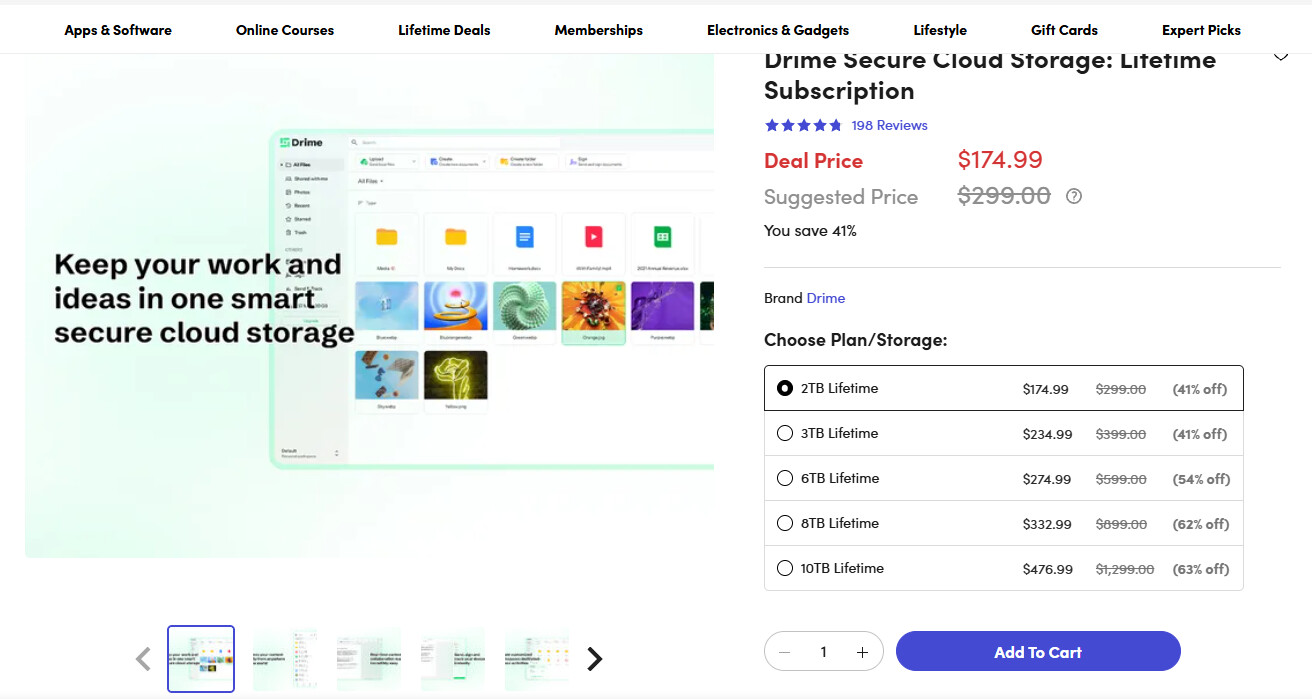
The current offer I am seeing includes options such as:
- 2 TB lifetime;
- 3 TB lifetime;
- 6 TB lifetime;
- 8 TB lifetime;
- 10 TB lifetime.
The 2 TB option is currently showing at approximately:
USD $174.99
Link:
https://www.stacksocial.com/sales/drime-secure-cloud-storage-lifetime-subscription-2tb
Transfr Pro
The current lifetime Transfr Pro offer is showing at approximately:
USD $79.99
Link:
https://www.stacksocial.com/sales/transfr-pro-lifetime-subscription
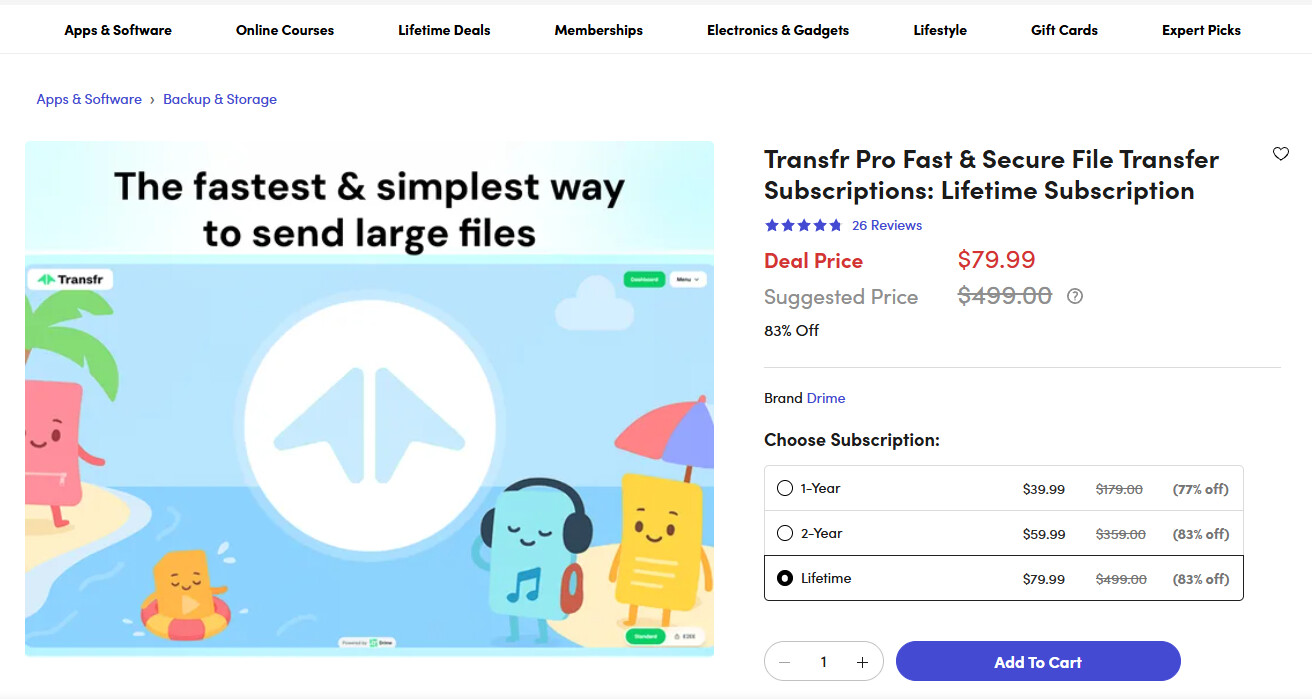
That looks attractive when compared with the normal annual subscription cost.
However:
A lifetime deal is only valuable for as long as the service continues operating.
That is the trade-off.
You pay less over the long term if the company succeeds.
You accept more risk because the company is still young.
Early Adoption: Risk vs Reward
This is where people have to make their own decision.
Early adoption often gives:
- lower prices;
- lifetime offers;
- generous storage;
- feature access that may become more expensive later.
But it also carries:
- business longevity risk;
- changing terms;
- changing limits;
- evolving products;
- possible feature removal;
- uncertainty about long-term support.
In Drime’s case, they have already reduced some of the aggressive discount stacking that was previously possible.
That may indicate that pricing is beginning to stabilize as adoption increases.
Whether that is good or bad depends on when you joined.
Who Would I Recommend It To?
Transfr looks especially useful for people who regularly send large files and want more control than basic file-sharing services provide.
Examples include:
- IT professionals;
- photographers;
- videographers;
- designers;
- businesses;
- consultants;
- legal and accounting offices;
- content creators;
- anyone sending large deliverables.
For occasional users, the free 100 GB transfer limit may already be more than enough.
For regular business use, the tracking, branding, longer retention, download limits and encryption make Pro more interesting.
Final Thoughts
SendSpace helped popularize the simple file-transfer model.
WeTransfer made it more mainstream.
pCloud Transfer provided another useful large-file alternative.
Transfr is taking the concept further.
What caught my attention is not just the file-size limit.
It is the combination of:
- large transfers;
- download tracking;
- expiration control;
- download limits;
- branding;
- comments;
- encryption;
- regional storage selection.
Combined with Drime’s permanent cloud-storage platform, it becomes a fairly interesting ecosystem.
It is still young.
There is risk.
But there is also a lot of functionality for the current price.
Drime is where you keep and work with files. Transfr is how you deliver them.
For me, that is what makes it worth watching.