If you have been using LuxPower for a while, you may notice that the original LuxPower app is no longer the main app available in the Play Store.
The newer app is LuxCloud, also published by Wang James.
If you search for the old LuxPower app now, you may not find it. The good news is that you do not need the old app to use the older interface.
LuxCloud still allows you to switch between the new and old layouts.
You can use both interfaces from the LuxCloud app without reinstalling anything.
The Current LuxCloud App
The current app available from Wang James is LuxCloud.
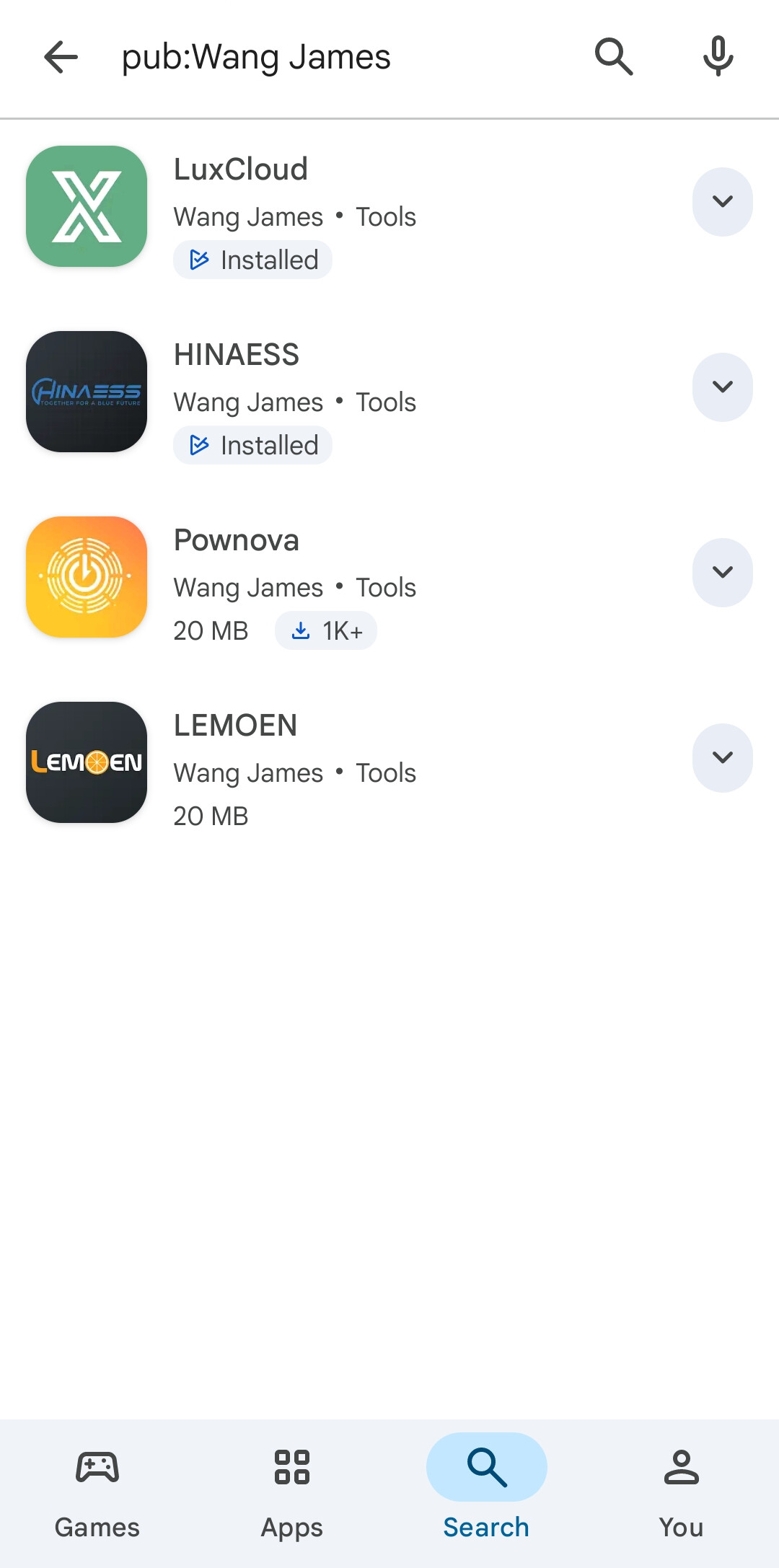
If you previously used the original LuxPower interface and prefer that layout, you can still access it from LuxCloud.
Switching From the New Interface to the Old Interface
Start from the normal LuxCloud device or plant overview.
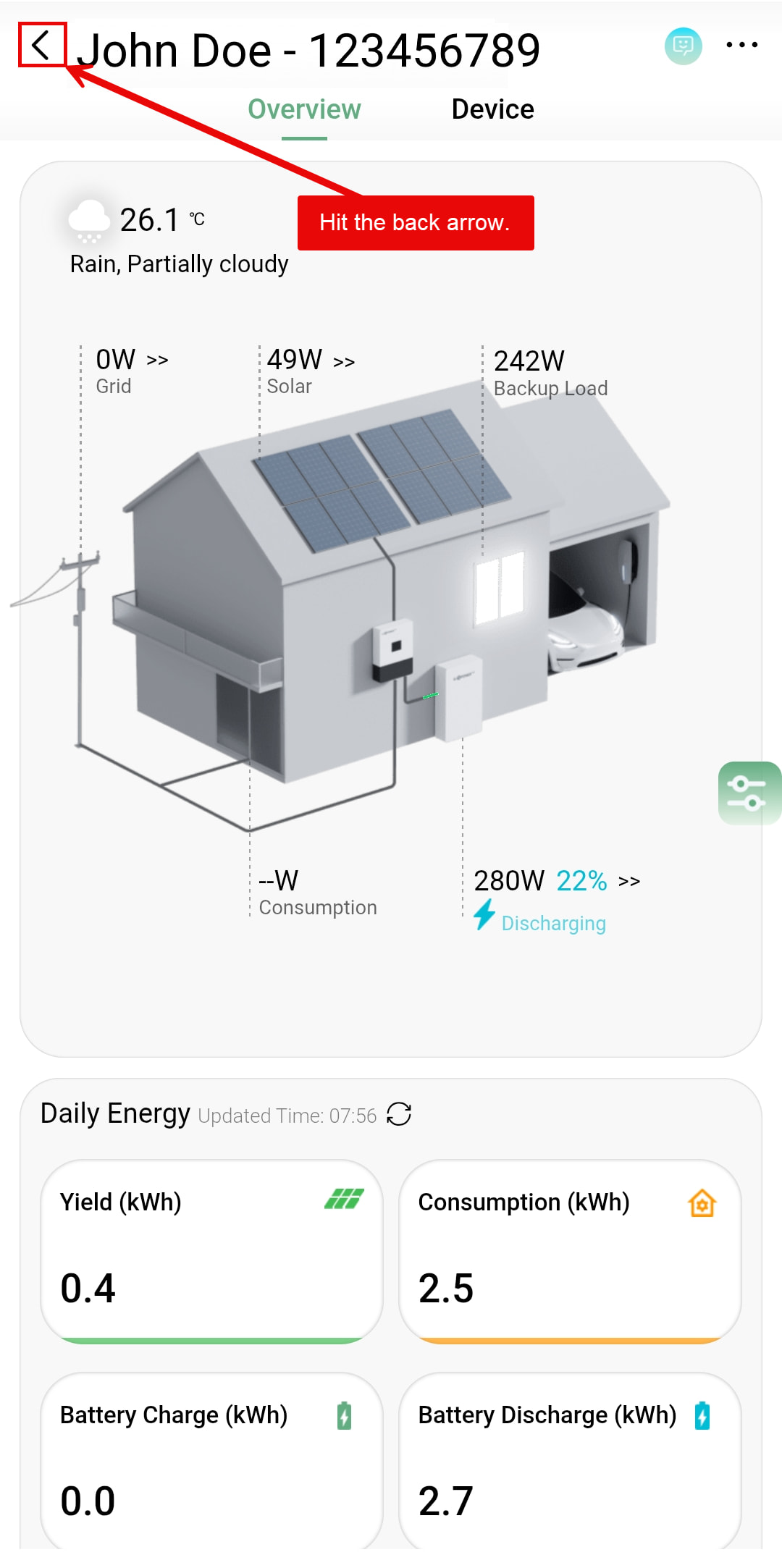
Tap the back arrow in the upper-left corner.
This will take you back to the plant or system list.
On that screen, look at the upper-left corner for the circular switch-interface icon.
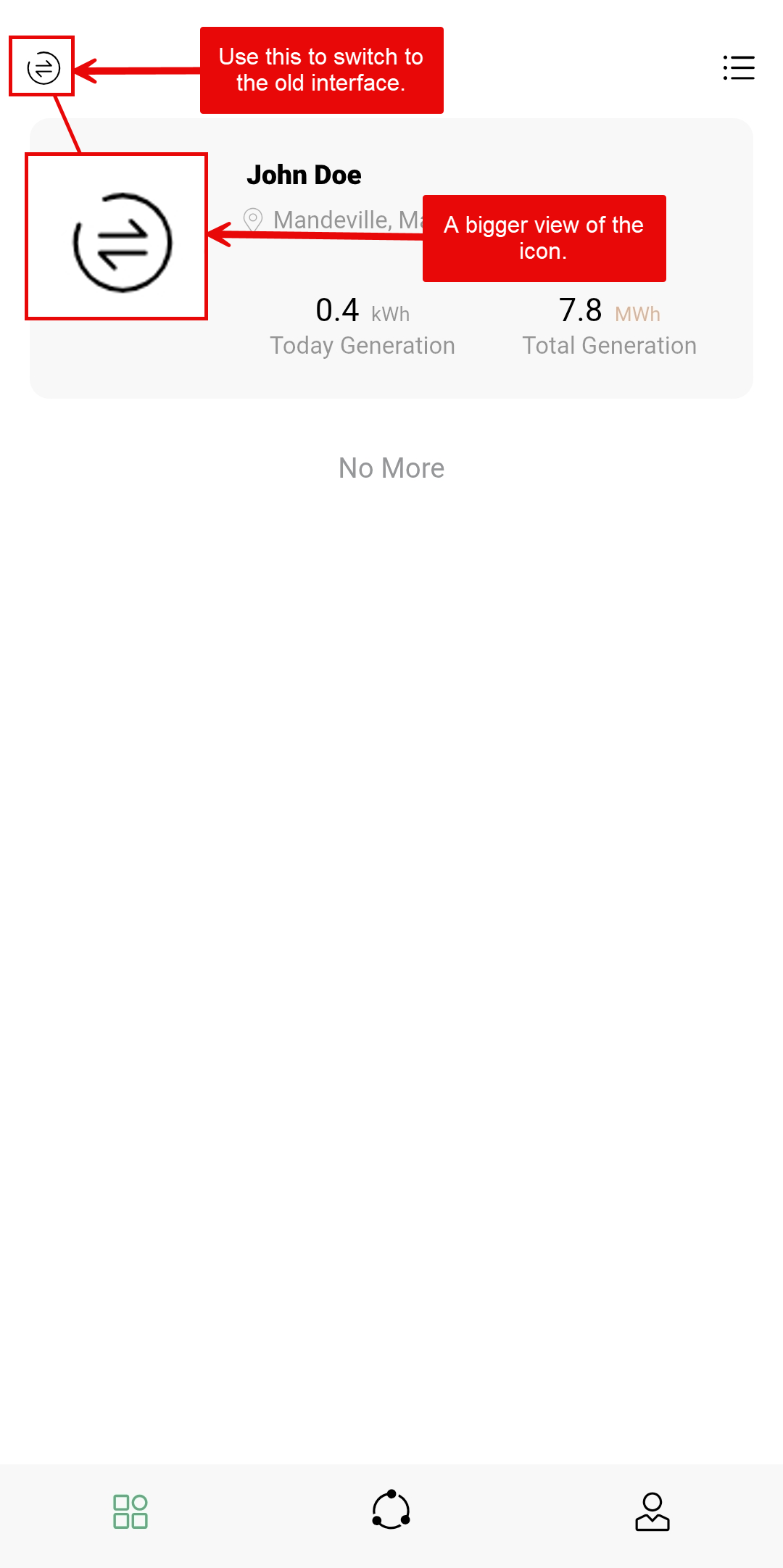
Tap that icon.
LuxCloud will switch to the older LuxPower-style interface.
You do not need to log out or reinstall the old LuxPower app.
What the Old Interface Looks Like
Once you switch, you should see the older LuxPower-style layout.
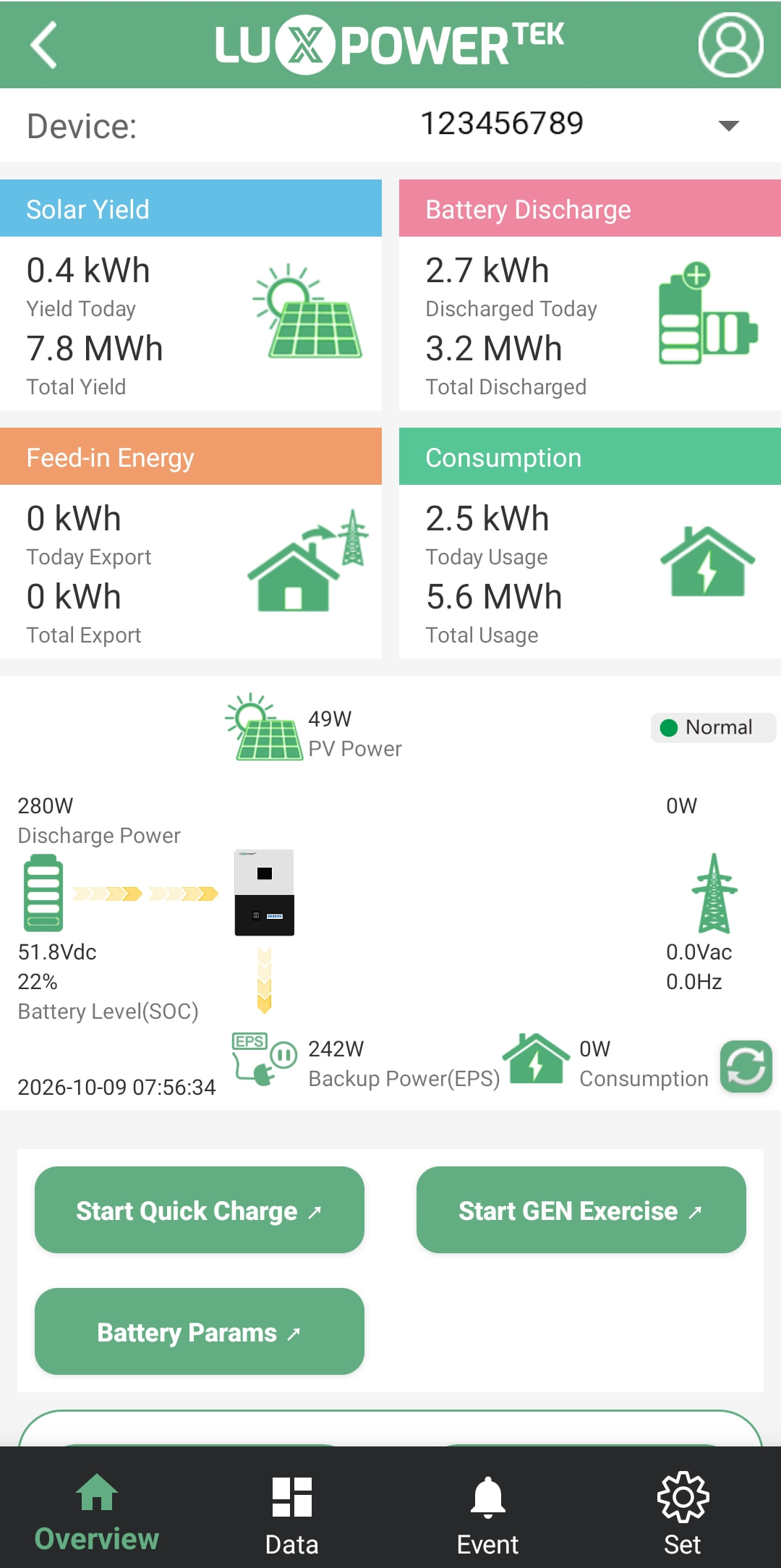
Some users may prefer this view because:
- it is more familiar;
- the layout is simpler;
- some information may be easier to locate;
- long-time LuxPower users may already know where everything is.
There is nothing wrong with using either interface.
Use whichever layout works better for you.
Switching Back to the New Interface
If you want to return to the newer LuxCloud layout, tap the back arrow from the old interface.
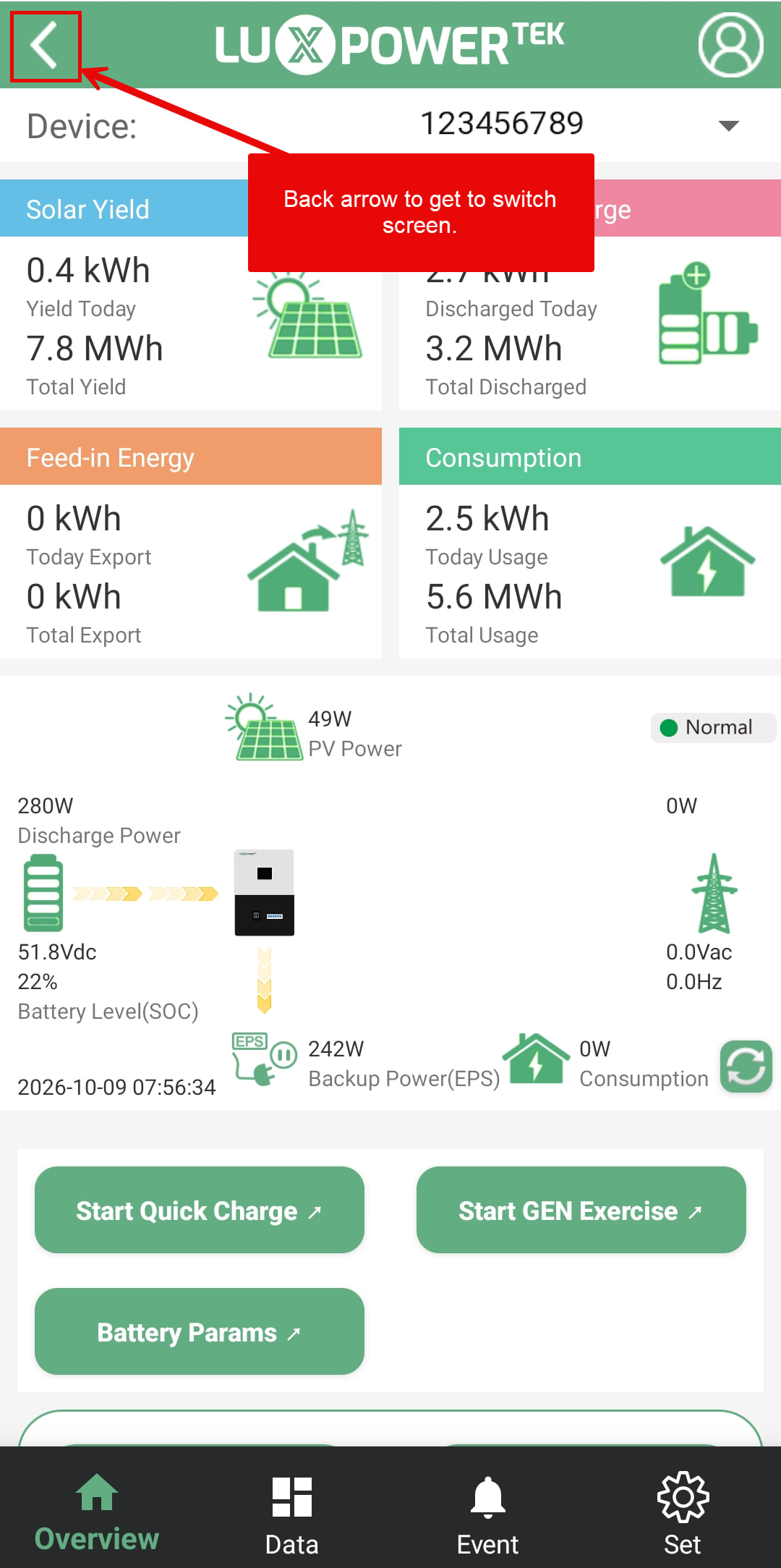
This will take you to the old plant list.
At the bottom of that screen, look for:
TRY NEW PAGE
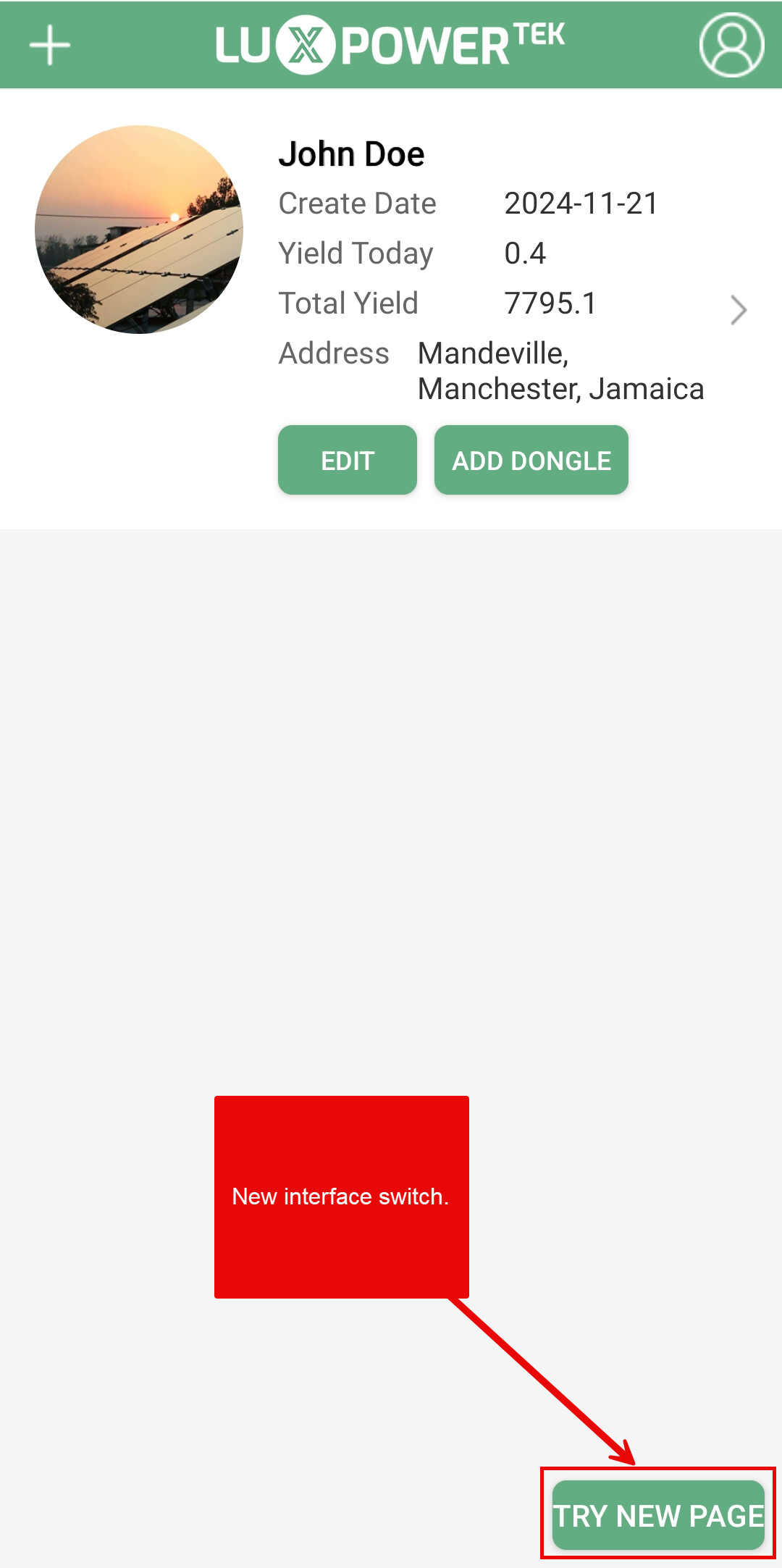
Tap it.
LuxCloud will switch back to the new interface.
Quick Summary
New Interface → Old Interface
- Open LuxCloud.
- Open your system/device.
- Tap the back arrow.
- Tap the switch-interface icon in the upper-left corner.
- The old interface will load.
Old Interface → New Interface
- Tap the back arrow from the old system overview.
- Go back to the old plant list.
- Tap TRY NEW PAGE.
- The new interface will load.
Final Note
The original standalone LuxPower app may no longer appear in current Play Store searches, but the older interface is still available through LuxCloud.
So if you prefer the old layout, you are not forced to use the new one.
LuxCloud gives you access to both interfaces. You can switch between them whenever you want.
If the old interface does not display properly, update LuxCloud to the latest version and try again.